
HDMI ARC Audio Extractor, 192KHz DAC Audio Converter, Digital to Analog Converter, Optical/SPDIF Coaxial HDMI ARC to Optical/SPDIF Coaxial Stereo L/R 3.5mm Jack for HDTV DVD Home Cinema Systems

Offer

£ 23.98
free shipping | 1-2 Days
go to shop
Product description
- 【HDMI ARC Audio Extractor - Check Your TV First】: This hdmi arc audio extractor lets your TV send audio Extractor the Audio from TV to Soundbar or Amplifier, allowing you to enjoy an immersive home theater experience instead of the poor sound of TV.(Note:Your TV must have an HDMI port labeled "ARC" or "eARC" – otherwise it won't work. Please check your TV's HDMI ports before purchasing.) 【Multiple Audio Output Options】: Equipped with coaxial and optical (Toslink/SPDIF) digital audio inputs, this converter transforms PCM/LPCM digital signals into analog stereo output, allowing connection to amplifiers, headphones, or speakers.
- The input selection switch on the panel enables quick and easy switching between optical and coaxial modes.
- (NOTE: Please Set the Audio Output to PCM or LPCM before Using).When connecting, be sure to use a high-speed HDMI cable that meets the specifications (HDMI 1.4 or higher is recommended) to ensure stable signal transmission. 【192KHz Lossless Audio Sampling Rate】: This HDMI ARC to RCA audio converter supports sampling rate at 32, 44.1, 48, 96 and 192 KHz.
- Works only with PCM/LPCM audio format.
- Only 3.5mm and L/R output can be controlled by the TV remote supports CEC.(Note: The Optical/coaxial outputs cannot be controlled by the TV remote, please adjust the speaker volume manually.) 【Wide Compatible】: Compatible with all standard HDMI source devices, compatible with Sound bar/ Amplifier/ Blu-ray/ DVD/ HD player, cable/satellite box, Fire TV Stick, Apple TV, PS3, PS4, PS5, Xbox, PC/laptop, HD camera, HD DVR etc.(Supports all HDTVs with ARC function) 【ARC Troubleshooting】:1Use the TV’s HDMI port labeled “ARC” 2Unplug and reconnect the HDMI cable after a few minutes.3Plug the adapter into a power source.
- 4Try a different HDMI cable. 5 Make sure the HDMI cable supports ARC. 6Set the adapter switch to “ON”.
- 7Check if the power light is on. 【Plug-and-Play & Package Contents】: Simply connect and enjoy.
- Perfect for enhancing your home entertainment
You might also be interested in these adapters.
15% off
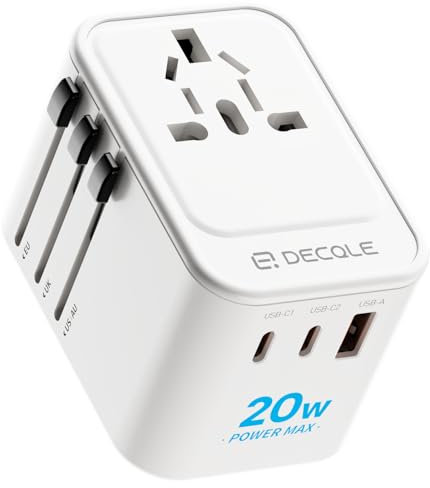
decqle Universal Travel Adapter for International Travel - EU UK US AU JP | PD 20W, 2 USB-C & 1 USB-A, International Plug Adapter, All in One Portable Adapter, NOT A Voltage Converter (White)
[Worldwide Compatibility] decqle universal travel adapter is designed with 4 interchangeable plugs which meet international plug standard: 1.Type C(most of the Europe) 2.Type G(such as UK, Ireland, Singapore) 3.Type A(such as America, Canada, Mexico) 4.Type I(such as China, Australia, New Zealand).
£ 10.98
free shipping
Only:
84hrs
24min
52sec
To the product (2 offers)

Universal Travel Adapter Worldwide with 2 USB C and 2 USB A Ports, International Travel Plug Adapter Worldwide USB Travel Adaptor All in One Universal Charger Power Adapter for European EU US UK AUS
Universal Travel Adapter With 2 USB-A + 2 USB C Ports + 1 AC Socket: The international travel adapter contains 2 USB-A (Single USB output 5V/2.4A MAX, 2 USB C port (total output: 5V/3A) and 1 universal AC socket (supports 100 to 240V, 50/60Hz, Max load 8A. Max power 1920W at 240VAC, 800W at 100VAC). With this travel adapter worldwide, you can charge up to 5 devices simultaneously, meeting your needs for charging multiple devices. It is an ideal choice for charging devices such as phones, laptops, tablets, cameras, and more. Worldwide Travel Adapter with Dual Protection: Certified by CE and UKCA, this travel plug adapter worldwide with 2 USB C and 2 USB A ports provides surge protectin, overload protection, short-circuit protection for your equiments. The USB travel adapter is equipped with dual 8A auto-resetting fuses, providing dual protection for high-power devices. Travel Plug Universal Compatibility: The universal charger equipt with four types of international plugs (UK/US/EU/AU Plug) covers over 224 countries such as Germany, Europe, USA, England, Asia, Thailand, Australia, China, Japan, Israel, Italy, Colombia, New Zealand, etc. This universal power adapter accepts plugs of the following specifications: Type A, Type B, Type C, Type E, Type F, Type G, Type I, Type J, Type L, Type N. Compact for Traveling: This compact travel adaptor measures 7.5 x 4.9 x 3.9 cm and weighs only 108g, making it an ideal companion for your international travels. The universal plug adaptor can save significant space in your luggage, eliminating the need to carry multi travel adapter plug during your trip. What You Get : 1 * Universal travel adapter worldwide with 2 USB C and 2 USB A ports. Please Note: This Universal adapter plug is not a voltage converter. Please make sure your device with input voltage range 100-240V.
£ 10.99
free shipping
To the product (1 offer)
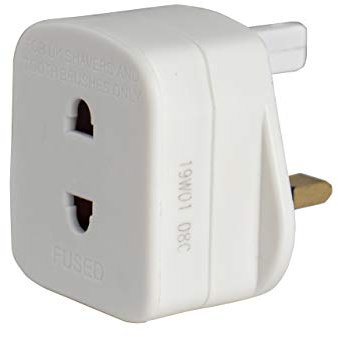
Masterplug Shavingadaptor_01 Electric Shaver Adaptor, 50 x 48 x 46 mm, White
EASILY USE YOUR ELECTRIC SHAVERS
£ 2.29
free shipping
To the product (5 offers)

TESSAN Universal Travel Adapter Worldwide with 2 USB C and 2 USB A Ports | Universal Plug Adaptor UK to World, International Adapter for EU, USA, UK, Australia, Thailand etc. not a Voltage Converter
Instructions for Use: The usb travel adapter is not a voltage converter.
£ 16.99
free shipping
To the product (2 offers)

Swiss Edge 2 Way 3 Pin Power Adapter Plug Splitter - Cube Electric 13A Multi Wall Plug Extension Double Socket UK (Pack of 1)
[PREMIUM QUALITY MATERIAL] - The double socket adapter has an attractive design, lightweight. The multi plug extension built with high-quality durable components, enhanced circuitry, and flame retardant housing.
£ 5.49
free shipping
To the product (1 offer)

Bigfish Universal Travel Adapter, Travel Plug Adapter Worldwide | Travel Charger with 2 USB-C & 2 USB-A Ports, Dual 10A Fuses, All-in-One International Travel Adapter - EU UK US AU Plugs
Universal Travel Adapter: This international travel adapter covers over 150 countries: Type C for most of France, Germany, South Korea, Spain; Type G for UK, Ireland, London, Scotland; Type I for Australia, Argentina; Type A for China, Japan, USA, Mexico
£ 12.99
free shipping
To the product (1 offer)
32% off
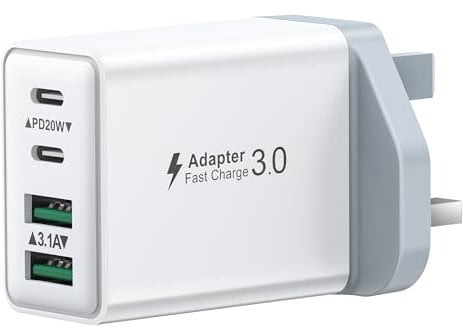
USB C Plug Fast Charge, 40W Multi USB Plug UK Fast Charger Plug 4-Port Dual Port 20W USBC Power Adapter+QC Wall Charger Head Type C Charging Plug for iPhone 17 16 15 14 13 12 11 Pro Max,iPad,Samsung
40W Fast Charger Plug: Sasanop usb plug design with 4-Ports (Double USB C ports +Double USB A ports) can fast charge 4 devices simultaneously at up to 40W. Choosing Sasanop multiport Plug save your time and give youyou a clean desktop.
£ 8.10
free shipping
To the product (1 offer)
35% off

UGREEN USB C Hub, 5-in-1 USB Hub for Laptops, 4K HDMI to USB-C Adapter | 100W PD, 3 USB-A Data Ports, Aluminum Compact Multiport Adapter for MacBook Air/Pro, HP, Dell, iPad, Galaxy Dex and More
100W Pass-Through Charging: Featuring a 100W USB-C PD port, this hub provides fast, efficient charging for your laptop whether you're at home, in the office, or traveling 4K Stunning Display: The HDMI port supports video output at resolutions up to 4K@30Hz, keeping every incredible moment detailed and ultra-vivid Transfer Files in Seconds: Transfer files from your laptop at speeds up to 5Gbps via the USB-A 3.0 port.
£ 8.47
free shipping
Only:
60hrs
24min
52sec
To the product (7 offers)
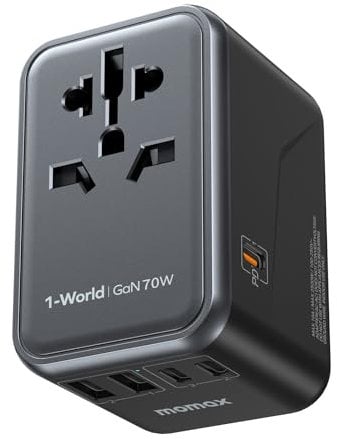
MOMAX Universal Travel Adapter 70W GaN Travel Plug Adapter for UK/EU/AU/US | 3USB-C PD & 2USB-A QC International Adapter Charger, Adapter Plug for Laptops Tablets Phones Vision Pro 1-World, Black
[All-in-one World Travel Adapter] MOMAX universal travel adapter has built-in US/JP/CN, AU, EU, UK sockets, covering more than 150 countries worldwide.
£ 33.99
free shipping
To the product (1 offer)
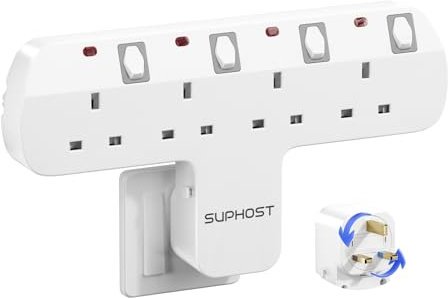
Plug Extension Socket, 4 Way Plug Adapter with 180 Degree Rotating UK Plug, 13A Fused Multi Plug Adaptor with 4 Independent Switches, Wall Socket Extension for Home Office Kitchen
4 Way Multi Plug Adapter: The socket extensions have 4 UK AC sockets with independent switches (Max capacity up to 3250W/13A).
£ 13.99
free shipping
To the product (1 offer)
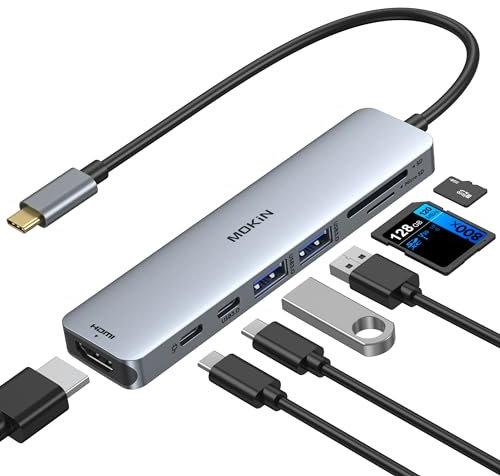
MOKiN USB C Hub for MacBook, 7-in-1 USB C adapter, 4K HDMI Dongle, 100W PD | Macbook HDMI adapter for Windows & Mac, Multiport adapter, 100W PD Charging, 5Gbps Data Transfer, SD/microSD Card Reader
【USB C Hub 7 in 1】USB C to HDMI Adapter equipped with 1*4K@60Hz HDMI port, 2*USB 3.0 ports, 1*USB C Data port, 1*100W PD, SD/microSD card reader slots,works well with most USB-C devices, like MacBook Pro models from 2021 2020 2019 2018 2017 2016, MacBook Air 13'' 2018 2019 2020 2022,Dell XPS Surface,HP and other USB-C port devices 【Enjoy Crystal-Clear 4K@60Hz Video】MacBook Pro Adapter mirrors or extend your screen with USB C hub’s HDMI port and directly stream 4K UHD @60Hz or full HD 1080P video to HDTV, monitor or projector 【High-Speed USB 3.0 Ports】USB C Hub Multiport Adapters allow you to connect keyboard, mouse, hard drive,etc to MacBook Pro, up to 5Gbps data transmission speed, backward compatible with USB A 2.0 and below.
£ 13.83
free shipping
To the product (2 offers)

TESSAN Universal Travel Adapter, 28W Worldwide Plug with 2 USBA and 3 USBC | International Travel Adapter for EU, UK, USA, AU, Power Socket Charger for Multi Countries
Worldwide Travel Adapter: This international travel adapter covers over 150 countries: Type C for most of France, Germany, South Korea, Spain; Type G for UK, Ireland, London, Scotland; Type I for Australia, China, Argentina; Type A for Japan, USA, Mexico 6 in 1 Travel Plug: Travel adapter worldwide has 1 universal AC Outlet (2500W Max) and 5 USB (3 USB C); The front universal AC outlet can be adapted to sockets used in different countries; This travel charger can charge 6 devices at the same time International Travel Adapter with USB C: Universal plug adaptor features USB C1 C2 C3 (15W MAX per port), quickly charge phone, tablet, and other devices, reducing waiting time; The USB A1 A2 deliver 12W MAX per port and meets your various charging needs Space Saving: The size of this worldwide travel adapter are 6.4 × 5.5 × 5 cm; The all in one design universal adapter meets many needs on your trip and saves luggage space without having to carry additional adapters Warm Tips: The universal travel adapter worldwid with double 10A fuse protect your devices; Universal adapter plug works on 100V to 250V wide voltage devices, If you want to use hair dryer, straightener, curling irons, they need to support wide voltage
£ 23.99
free shipping
To the product (2 offers)