
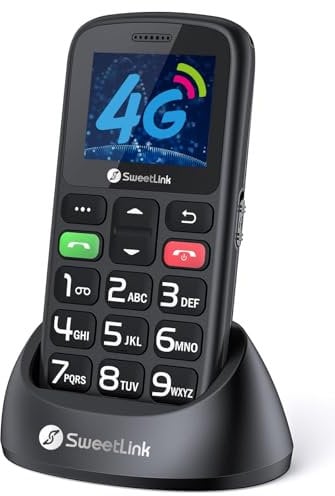
SweetLink S2 Plus 4G Senior Mobile Phone,Big Button Mobile Phone for Elderly,1400mAh Battery,SOS Emergency Button,Loud Volume,Speed Dial,Photo Contact,Flashlight,FM Radio,4G Dual Nano SIM
Price comparison
Product description
- 【4G Senior Mobile Phones】SweetLink S2 Plus 4G mobile phone for elderly with large buttons, large font and large icons ensure easy navigation and ease of use for the elderly, which is very friendly for the elderly. More stable 4G signal for better quality communication.
- 【SOS Emergency Button】When the elderly meet something urgent at home or outdoors, press and hold the SOS button on the back of the mobile phone for three seconds. It will trigger the function, and the mobile phone will automatically call the stored 5 emergency contacts and send SMS to them so that the elderly can get help in time.
- 【Large Battery Capacity, Long Endurance】1400mAh large-capacity battery can provide 120-180 hours of standby time and 5-6 hours of continuous talk time. We provide two charging methods, Type-C port and charging cradle, you can choose freely.
- 【Speed Dial】 SweetLink S2 Plus 4G big button phone for elderly supports speed dial of contacts. Numbers 2-9 can store 8 contacts. After storing the contacts, long press the number button of the corresponding contact to make a call.
- If you encounter a situation where your phone still won't turn on after charging, you can try the following options: 1 Replace the charger and data cable 2 Use a data cable to charge instead of the dock 3 Charge for at least 3 hours, then try turning it on again.
- When installing a SIM card, please follow these steps to prevent the metal plate on the card slot from falling off: 1 After opening the back cover, gently press the small metal plate on the card slot. If it's card slot 1, gently push it to the left; if it's card slot 2, gently push it to the right. Finally, flip the small metal plate upwards. 2 Please use a Nano SIM card, not a Mini or Micro SIM card. 3 When installing a Nano SIM card, align the notched corner of the SIM card with the SIM card slot. 4 After inserting the SIM card, gently cover the metal plate, then push it left/right to lock the SIM card.
- How to adjust the call volume: 1 Press and hold the "+" button on the left side of the phone. 2 After answering a call, press the top left corner to switch to hands-free mode.
You might also be interested in these senior smartphone.


Samsung Galaxy A16 4G Android Smartphone, Super Amoled 6.7" Screen, Multiple Cameras, 128GB Storage, Blue Black, 3 Year Manufacturer Extended Warranty (UK Version)
Samsung
£ 122.00
free shipping
To the product (1 offer)
13% off

MAXCOM MS601 Senior Mobile Phone, Smartphone for Seniors with Whatsapp, Large Icons, SOS Button, 6" Large Screen, Charging Dock, High Volume, Android 14, 4000 mAh Battery, 64GB
Maxcom
£ 129.99
free shipping
To the product (1 offer)
14% off

Doro Aurora A10 Basic Smartphone for Elderly People | Simple Smartphone for Seniors with Secure Button Alert Contacts, Hearing Aid Compatible, Wireless Charger Included, Graphite
Doro
£ 236.99
free shipping
To the product (1 offer)
16% off
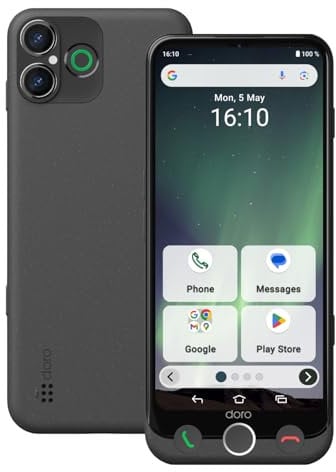
Doro Aurora A30 Basic Smartphone for Elderly People | Simple Smartphone for Seniors with 6.1" Screen, HAC, Secure Button Alert Contacts, USB-C Cable, Graphite
Doro
£ 258.75
free shipping
To the product (7 offers)


Doro 8100 32GB 4G SIM Free Smartphone - Black, 8175
INTUITIVE MENUS: Fully featured yet easy to use, with large clear icons and an intuitive menu system. You will enjoy a great visual experience thanks to the 6.1" full screen, easy-to-read display.
£ 140.56
To the product (8 offers)
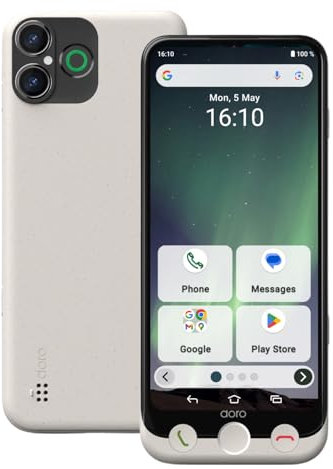
Doro Aurora A30 Basic Smartphone for Elderly People | Simple Smartphone for Seniors with 6.1" Display, Secure Button Alert Contacts, Hearing Aid Compatible, USB Cable, Bone
Doro
£ 229.00
free shipping
To the product (8 offers)
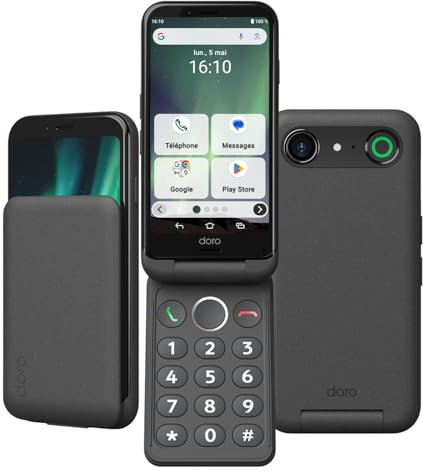
Doro Aurora A20 Basic Flip Smartphone for Elderly People | Simple Flip Smartphone for Seniors, Large Display, Secure Button Alert Contacts, Hearing Aid Compatible, Graphite
FLIP PHONE FOR SENIORS: Easy to use, the Doro Aurora A20 is a smartphone thats ideal for older adults. It combines a large screen, a flip design with practical, tactile buttons, loud and clear sound, and an SOS button to provide peace of mind every day.
£ 215.99
free shipping
To the product (8 offers)
![Doro 1380 Unlocked 2G Network ONLY Dual SIM Mobile Phone for Seniors with 2.4 Display, Camera and Assistance Button [UK and Irish Version] (Red)](https://cdn.which.one/productimages/T/V/V/B0C1H6PVVT.jpg)
Doro 1380 Unlocked 2G Network ONLY Dual SIM Mobile Phone for Seniors with 2.4" Display, Camera and Assistance Button [UK and Irish Version] (Red)
DUAL SIM AND LARGE DISPLAY: Doro 1380 is a 2G dual SIM unlocked mobile phone for elderly people with a large 2.4" colour display. It is perfect for those who want a basic but functional phone with a compact design for convenient everyday use.
£ 39.97
free shipping
To the product (3 offers)

SPC ZEUS 2 PRO - Senior smartphone, easy mode, XXL icons, 6.1" | Compatible with the SPC Care app for control/location, 128GB, physical buttons, charging base, SOS and 2 cameras
SPC
£ 249.90
free shipping
To the product (1 offer)
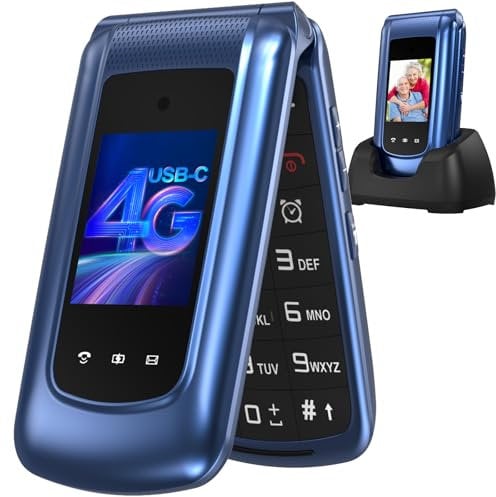
4G Senior Mobile Phone Simple for Elderly, Basic Cell Phone with Large Buttons, Flip Phone, Unlocked Senior Mobile Phone with 2.4" Color Display | SOS Button | FM Radio | Torch |1000mAh Battery (Blue)
【4G senior mobile phone with dual SIM dual LCD screen】This senior flip phone is perfect for seniors, supporting two 4G SIM cards and offering seamless communication without a contract. With 4G VoLTE, 3G WCDMA and 2G/GSM coverage, you get a more stable and wider reception signal. The large external display shows date, time, contacts and battery status. Easy to use with large buttons and clear volume. Ideal for the elderly, children and visually impaired users.
£ 55.99
free shipping
To the product (1 offer)

SPC ZEUS 2 + CASE - Senior smartphone, easy mode, XXL icons, 5" | Compatible with the remote control/location app, physical buttons, charging base, 64GB, SOS and 2 cameras
SPC
£ 199.90
free shipping
Only:
43hrs
20min
02sec
To the product (1 offer)
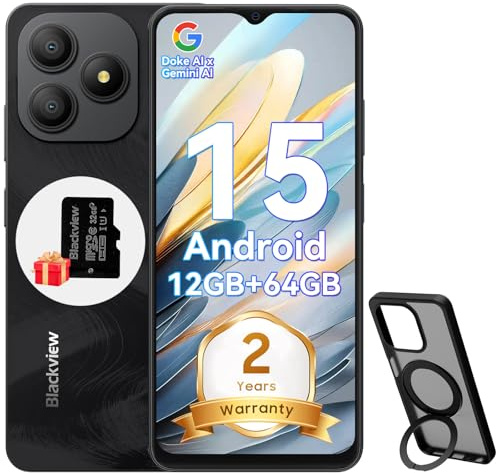
Blackview WAVE 9C Smart Android Phone,4G Sim-Free & Unlocked Mobile Phones, 12GB+64GB/2TB, Android 15 Phone 13MP+8MP AI Camera, 5000mAh/10W, Fingerprint/Eye Comfort Mode, 5G WiFi/GPS/OTG Smartphone
Blackview
£ 119.99
free shipping
To the product (1 offer)