
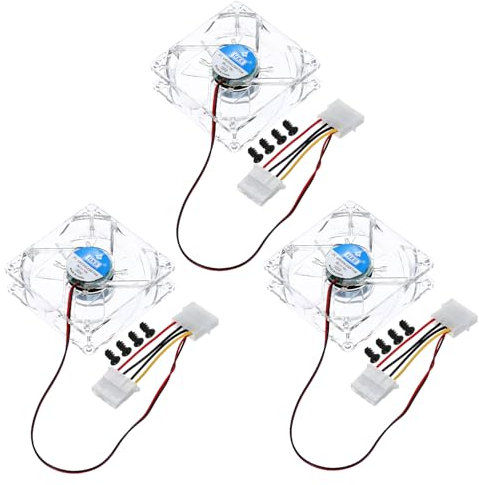
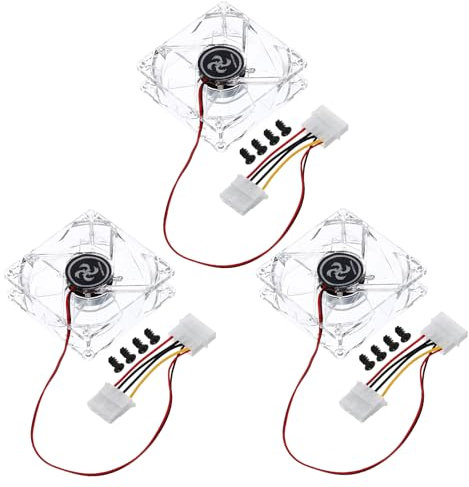
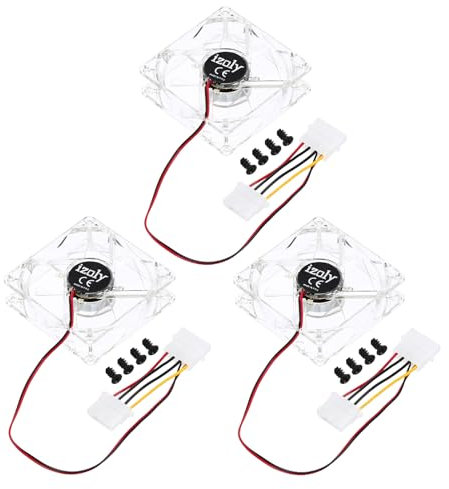
sourcing map 3Pcs Clear Computer Case Fan 1800RPM 80mm 4 Pin Blue LED Silent Cooling Fan 4 LED 12V for Desktop Computer Radiators with 12 Screws
Offer

free shipping
go to shop
Colour: Blue


Product description
- The Computer Case Fan is primarily used for cooling computer cases.
- It helps in maintaining optimal temperatures within the case to prevent overheating of components such as the CPU, GPU, and motherboard.
- Additionally, it can also be used to improve overall airflow and ventilation within the case, ensuring efficient cooling for all components.
- Rotating Speed: 1800RPM; Side Length: 80mm/3.15"; Thickness: 25mm/0.98"; Rated Voltage: DC12V; In the package of: 3pcs x Computer Cooling Fan, 12pcs x Screws The aerodynamic blade design provides strong air volume and ensures cooling of the chassis.
- The transparent fan-blade design makes the LED light projection more ornamental.
- Insert the fan into the mounting location, aligning the screw holes with the corresponding holes on the case.
- Ensure that you have a 4-pin fan header on your motherboard or a compatible fan controller to connect the fan to.
You might also be interested in these fans.


Honeywell TurboForce Power Fan (Quiet Operation Cooling, 90° Variable Tilt, 3 Speed Settings, Wall Mount Feature, Table Fan) HT900E
FEEL THE POWER: The ease of a small fan with power you can feel from up to 7 meters away and an aerodynamic design & style to maximize air movement..Voltage 240 Volts
£ 1.00
see shop
To the product (7 offers)

DREO 20dB Silent Tower Fan, 28 ft/s Velocity Electric Cooling Fan with Remote, 90° Oscillating 8 Speeds 4 Modes 8H Timer LED Display, 220-240V, Black
Powerful Meets Portable: Dreo's all-in-one airflow system combines with a supercharged electric motor, delivering high-speed, refreshing winds.
£ 79.99
free shipping
To the product (3 offers)
![DREO 20 dB Silent Standing Fan for Bedroom, 42 Pedestal Fans with Remote, 90° Oscillating, 90° Manual Vertical Cooling Fan, 8 Speeds, Adjustable Height, 8H Timer, LED Display[Upgraded], Black](https://cdn.which.one/productimages/3/T/T/B0DQDQVTT3.jpg)
DREO 20 dB Silent Standing Fan for Bedroom, 42" Pedestal Fans with Remote, 90° Oscillating, 90° Manual Vertical Cooling Fan, 8 Speeds, Adjustable Height, 8H Timer, LED Display[Upgraded], Black
Ultra Powerful Air Circulation: The TurboPoly 353 room fan powered by DREO's advanced airflow tech circulates air up to 27m away to circulate all the air in your bedroom, living or kitchen in under 3 min. Ultra Quiet Comfort: DREO's bionic blade design moves air smoothly at only 20dB, quieter than a whisper.
£ 79.99
free shipping
To the product (1 offer)

Belaco 16 Inch Pedestal Fan with Oscillation, Adjustable Height | Quiet Powerful Cooling Airflow, 45W - White
Powerful Whole-Room Cooling – Delivers up to 2750m3/h airflow with aerodynamic blades for fast temperature relief in bedrooms, offices and living spaces.
£ 29.99
free shipping
To the product (1 offer)

DREO 42 Inch Tower Fan, DC Motor Energy Saving Standing Fans for Bedroom, 8.5m/s High-Velocity Cooling Fans, 9 Speeds, Sleep/Auto/Natural/Normal Modes, 20dB Silent Fan, 90° Oscillating, 12H Timer
Faster, Instant Relief:Powered by a new 1580RPM DC motor, this tower fan reaches up to 28 ft/s speed with 1473 CFM airflow. Refreshing living rooms, bedrooms, and home offices the moment you turn it on.
£ 89.99
free shipping
To the product (1 offer)

DREO Quiet Tower Fan for Bedroom& Home, 25ft/s Powerful Airflow, 29ft Coverage, 1-8H Timer, 4 Speeds, 3 Modes, 28dB Bladeless Fan with Remote Control, 90° Oscillating Cooling Fan, LED Display
Custom Cooling with 4 Speeds, 3 Modes & 25ft/s Strong Airflow: Choose from 4 speed settings and 3 modes (Normal, Natural, Sleep) to suit any situation, from gentle airflow for relaxing to powerful cooling on hot days.
£ 74.99
free shipping
To the product (1 offer)

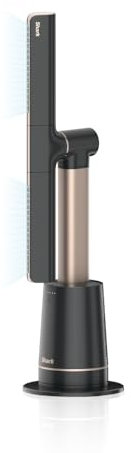
Shark TurboBlade Bladeless Tower Fan, High-Speed Multi-Directional | Projects Air up to 20 Metres, Quiet Power, 10 Speeds, Pivot, 180° Oscillation, Remote Control, Timer, Charcoal TF200SUK
POWERFUL BLADELESS FAN: High-speed, multi-directional cooling projects air up to 20 metres* (*In Boost mode.)
£ 249.00
free shipping
To the product (6 offers)


Amazon Basics Oscillating Standing Pedestal Fan, 3-Blade, 3-Speed, AC Motor, Remote Control, Height Adjustable, 40cm, Black
OSCILLATING STANDING FAN: 3-blade digital pedestal fan with quiet AC motor, remote control and automatic shut-off function for convenient cooling
£ 88.54
free shipping
To the product (2 offers)


Status 9 Inch Oscillating Desk Fan, White | 2 Speed Settings, Adjustable Tilt, Portable Cooling, S9DESKFAN1PKB
OSCILLATING AIRFLOW COVERAGE: Smooth side-to-side movement helps distribute cooling airflow across a wider area, making this desk fan suitable for bedrooms, offices, study areas and shared spaces
£ 14.99
To the product (5 offers)
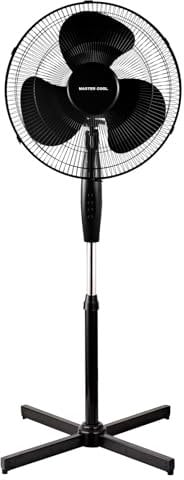
A2Z 16 Inch Pedestal Fan 3 Speed Oscillating Standing Floor Airflow | Adjustable Extendable Tilt Quiet 40W Home Office Living Room Cooling
CUSTOMIZABLE AIRFLOW: Experience the convenience of a 16" oscillating pedestal fan with three-speed options. Choose from low, medium, or high air speeds to customize the airflow for your comfort.
£ 24.99
free shipping
To the product (1 offer)

Levoit 20dB Silent Tower Fan, 5.5W-26W Energy Saving Fan for Bedroom & Home | Powerful Cooling with DC Motor, 4 Modes 12 Speeds, Advanced Sleep Mode, 90° Oscillation, Remote Control, White&Black
20dB Ultra-Quiet Sleep Comfort: With a brushless DC motor, the fan operates at just 20dB, creating a soft, whisper-like airflow, so you can enjoy deeper, uninterrupted sleep throughout the night.
£ 89.99
free shipping
To the product (2 offers)


Levoit 20dB Quiet Pedestal Fans for Bedroom, 1451CFM Powerful Air Circulator Fan with Remote, 90°+120° Oscillating, 12 Speeds, 4 Modes, 12H Timer, Adjustable Height, Standing Fan for Home Office
20dB Ultra-Quiet and Energy-saving: Powered with a DC motor, the noise is as low as 20dB, allowing you to hear only the fallen leaves.
£ 94.50
free shipping
To the product (3 offers)