
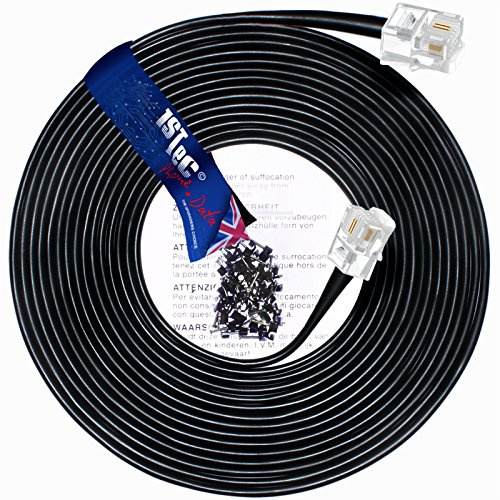
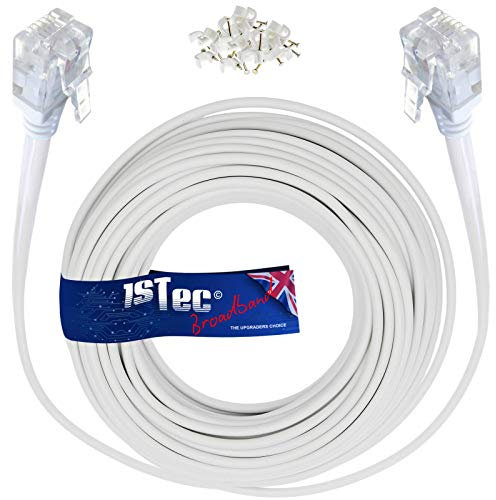
1STec 30M ADSL2+ Super High Speed Long RJ11 Broadband Hub Internet Extension Cable for BT Infinity Sky Q Talktalk Plusnet EE Vodafone Post Office Router on Fibre or Standard Services 30 Metre Black
Offer

£ 19.95
free shipping
go to shop
Colour: Black

Model: .

Product description
- NOT FOR CONNECTING DEVICES: These cables supply your broadband modem router with the main incoming signal from your internet service provider that usually first runs through a Microfilter or Openreach wall box before connecting to the ADSL / RJ11 input socket on your hub.
- These are not designed for and will not work to link or connect wired devices to the yellow LAN ports on your router as those connections require the bigger type RJ45 / Ethernet cables.
- This cable has the smaller RJ11 ends MOVE YOUR WIFI ROUTER: Connect your ADSL Modem to a Microfilter. Use with a filter or directly into an Openreach MK2, MK3 MK4 RJ11/RJ45 combination 431A & DATA Wall Socket. UK Manufactured using Genuine BT Solid Core cables.
- Beware of those that cheat unsuspecting customers by supplying Copper Clad Aluminium or Steel CCS in place of the more expensive version. We supply Copper so you will achieve the best possible results.
- Please view images or Google ‘CCA Burn Test’ for more about this GOOD POSITIONING IS KEY: Most suppliers are only interested in their service being in your property even if it has to be at your front door wasting half of its useful coverage.
- Moving your BT Home hub 4 5 or 6 for example, to a more central location in your home will boost the Wi-Fi strength to more locations. Many customers are aware of this but most will use the wrong type of replacement cable resulting in actually cancelling most of the performance benefits that they could have achieved
- PRESERVE YOUR CONNECTION: Adding any additional wire to your modem supply will weaken your signal very slightly with the correct cable but drastically with the incorrect type. No cable can increase your speed unless it is replacing an inferior one of similar length.
- However, relocating your Smart Hub for a stronger broadcast where the unit will actually be used, quickly outweighs the minimal losses of a good quality cable, resulting in much better overall wireless broadband performance CONDUCTORS ARE IMPORTANT:
You might also be interested in these routers.

TP-Link Archer AX18 Router 1500Mbps WiFi 6 Router with 4xGigabit Ports | 4xHigh Performance External Antennas, VPN Router Server,Easy Mesh Compatible,WPA3 Security, Easy Setup, Gaming Xbox/PS4/Steam
Wi-Fi 6 Technology: Archer AX18 comes equipped with the latest wireless technology, Wi-Fi 6, for faster speeds, greater capacity and reduced network congestion.
£ 37.98
free shipping
To the product (2 offers)

TP-Link Archer C6 Router WiFi AC1200Mbps, WiFi Router,Gigabit Ethernet Ports, VPN Router Server, Easy Setup, Internet Booster Routers, WiFi Booster, WPA3, Gaming Xbox PS4 Steam, Easy Setup,EasyMesh
AC1200 Dual-Band Wi-Fi – 867 Mbps at 5 GHz and 300 Mbps at 2.4 GHz band MU-MIMO Technology – Simultaneously transfers data to multiple devices for 2× faster performance Boosted Coverage – Four external antennas equipped with Beamforming technology extend and concentrate the Wi-Fi signals Access Point Mode –Supports AP Mode to transform your wired connection into a wireless network EasyMesh-Compatible- Flexibly creates a Mesh network by connecting to an EasyMesh-compatible router for seamless whole-home coverage VPN Support - Safely reach files in your local NAS, wherever you are.
£ 32.99
free shipping
To the product (8 offers)

TP-Link Archer AX53 AX3000Mbps Dual-Band WiFi 6 Router, Fast Full Gigabit Ports, Ultra-Low Latency, EasyMesh Compatible, WPA3, Optimal for Gaming, Works with Alexa, VPN Server Supported
TP-Link
£ 49.99
free shipping
To the product (3 offers)

TP-Link TL-WR841N 300 Mbps Wireless N Speed WiFi Router, Compatible with IPv6, Supports IGMP Proxy/Snooping, Bridge and Tag VLAN To Optimize IPTV Streaming, Easy Setup, WPS Button
300Mbps wireless speed ideal for interruption sensitive applications like HD video streaming Two antennas greatly increase the wireless robustness and stability Easy wireless security encryption at a push of WPS button System Requirements Internet Explorer 11+, Firefox 12.0+, Chrome 20.0+, Safari 4.0+, or other JavaScript-enabled browser.
£ 20.99
free shipping
To the product (6 offers)
16% off
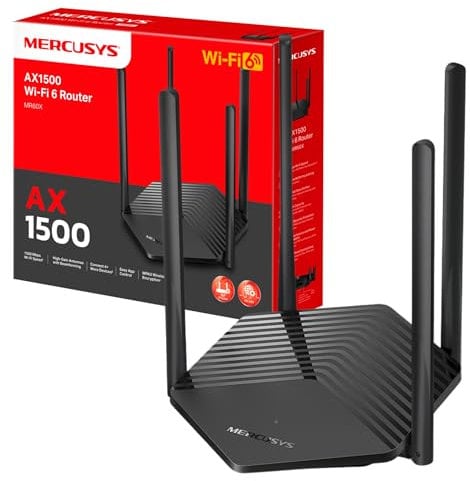
MERCUSYS MR60X Dual Band Router WiFi 6 AX1500Mbps, Gigabit Ethernet Ports, TP-Link WiFi Router, Overall Security Protection, Easy Setup, Internet Booster, WiFi Booster, App Control
Upgrade Your Network with Wi-Fi 6 – MR60X comes equipped with the latest Wi-Fi 6 standard, delivering more simultaneous connections, extend WiFi range, and maintain reliably fast data transmissions.
£ 26.99
free shipping
To the product (9 offers)

TP-Link Archer BE550 Tri-Band BE9300 WiFi 7 Router, 6-Stream 9.2Gbps Speed WiFi Router, Full 5x 2.5G WAN/LAN Ports, 6x Internal Antennas Covers Up to 2,000 Sq. Ft., VPN Support, Homeshield, Easy Setup
Wi-Fi 7 Routers: With powerful Wi-Fi 7 performance, lightning-fast wired connections, and brand-new design Blazing-Fast 9214 Mbps Tri-Band wireless Router: Enables your devices to run at full speed; Enjoy fluent 4K/8K streaming, immersive AR/VR gaming, and blazing-fast downloads Multi-Link Operation
£ 174.99
free shipping
To the product (17 offers)

TP-Link Archer AX72 AX5400Mbps WiFi 6 Router, Gigabit Ethernet Ports, USB 3.0, Internet Booster Routers, WiFi Booster, Ultra-Low Latency, EasyMesh,WPA3, Ideal for Gaming, Alexa
Gigabit Wi-Fi for 8K Streaming – 5400 Mbps Wi-Fi for faster browsing, streamings, and downloading, all at the same time Wi-Fi 6 VPN Router– Equips with the top structure of 4T4R and HE160 on the 5 GHz band to enable a 4.8 Gbps ultra-fast connection Connect 100+ Devices– Supports MU-MIMO and OFDMA to reduce congestion and quadruple the average throughput High-Speed wireless Router– 6× antennas and Beamforming ensure broad coverage USB Sharing – 1× USB 3.0 port enables easy media sharing and private cloud building HomeShield – TP-Link's premium security services keep your home network safe with cutting-edge features for network and IoT protection More Vents, Less Heat – Improved vents area unleashes the full power of the whole machine Easy Setup – Set up the router in minutes with the Tether app EasyMesh-Compatible - Flexibly creates a Mesh network by connecting to an EasyMesh-compatible router for seamless whole-home coverage
£ 106.99
free shipping
To the product (1 offer)

Cudy AX3000 4-Port GbE Wi-Fi 6 Router, MU-MIMO, VPN Server & Client, WR3000 | 2402+574 Mbps WiFi6, 4x GbE Ports, 130 m², 70 devices, Multiple Modes, Multi-Protocol VPN, Mesh Support, App & Cloud Control
AX3000 Wi-Fi 6 Speed & Wide Coverage: Enjoy 4-stream dual-band Wi-Fi 6 with speeds up to 2402 Mbps on 5 GHz and 574 Mbps on 2.4 GHz, covering up to 130 m2 (1,400 ft2) with Beamforming for stronger signals 4 Gigabit Ports & Powerful Performance: Features 1 Gigabit WAN and 3 Gigabit LAN ports for wired PCs, gaming consoles, and smart TVs, plus a 1.2 GHz dual-core CPU for responsive networking and smooth data handling Efficient Multi-Device Wi-Fi & Cudy Mesh: OFDMA, MU-MIMO, and BSS Color improve network efficiency for busy homes, supporting up to 128 devices (70 recommended); Cudy Mesh enables seamless roaming with compatible devices Easy App Control & Flexible Network Modes: Manage your network locally or remotely via the Cudy App and cloud control; supports Router, Access Point, Range Extender, WISP, and Client modes, plus WPS for quick device pairing Advanced Security & VPN Features: WPA/WPA2/WPA3 security and Separate Client help protect connected devices; WireGuard, OpenVPN, PPTP, L2TP, and IPsec support VPN server/client use, plus Captive Portal, Wake on LAN, and Online Detection
£ 49.90
free shipping
To the product (3 offers)


TP-Link Archer C50 AC1200Mbps Wireless Dual-Band WiFi Router, WiFi Speed up to 867 Mbps/5 GHz + 300 Mbps/2.4 GHz, 4+1 Fast Ports, Single-Core CPU, Guest Network, Parental Control, Easy Setup
Ultimate Wireless Speed – Combined wireless speeds up to 300Mbps (over 2.4GHz) and 867Mbps (over 5GHz) Guest Network and Parental Controls – Easily keep your main network secure by creating a separate network for visitors and restrict the internet access time and contents for children devices Easy Bandwidth Management – Bandwidth Control allocates necessary speed of each connected device to ensure quality of multimedia streaming.
£ 19.99
To the product (10 offers)

ASUS RT-AX52 (AX1800) Dual Band WiFi 6 Extendable Router, Instant Guard, Parental Control Scheduling, Built-in VPN, AiMesh Compatible
New-Gen WiFi Standard – Supporting 802.11ax WiFi standard for better efficiency and throughput.
£ 52.99
free shipping
To the product (18 offers)


NETGEAR Nighthawk WiFi 6 Router RAX70, Up to 2,000 sq ft, 6.6 Gbps | Wireless Router, Reliable Performance, Easy Set Up, 40 devices, 4× 1 Gigabit Ports, Tri Band, AX6600
FASTER, MORE RELIABLE WIFI: A tri Band WiFi 6 router built to deliver the full speed of your internet plan, delivering fast, reliable connectivity throughout your home for streaming, gaming, video calls, and smart devices.
£ 49.99
To the product (10 offers)
28% off

TP-Link TL-MR105 4G Router with SIM Slot, N300 Portable WiFi | 2 LAN/WAN Ports for Ethernet Cable, Connect Up to 32 Devices, Guest Network, Parental Controls, Home/Remote, Plug & Play
Mobile Broadband Router: Easily share a 3G/4G connection, Connect up to 32 wireless devices with ease while ensuring dependable network stability Superfast 4G LTE Speed for Reliable Wi-Fi: Speeds of up to 150 Mbps download and 50 Mbps upload, Ideal for cutting-edge 4G LTE network 4G router with Nano Sim Card Slot: Easy to use, plug and play, Network management is made easy with the TP-Link Tether app, available on any Android and iOS device Available WAN Connection Backup: Works as a router to provide backup internet connection Encryptions for Secure Network – WPA-PSK and WPA2-PSK encryptions provide active protection against security threats
£ 42.74
free shipping
To the product (3 offers)