
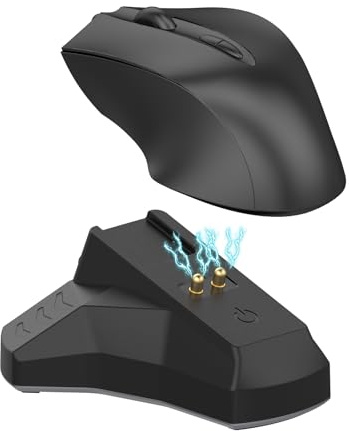
RuenTech Mouse Charging Station for Razer Gaming Mice, Type C Docking Station, Compatible with Razer Naga Pro/Viper Ultimate/Basilisk Ultimate/Mice DeathAdder V2 Pro
Show on Amazon
Show on Amazon
Offer

£ 19.98
free shipping
go to shop
Product description
- Package includes 1 x charging station + 1 x cable (device is not included).
- Multifunctional docking station function the back of this charging station has three ports (one USB and two type C). Connect the charging station to your computer or laptop via the charging cable, and the charging station can become a multifunctional docking station. You can connect the keyboard, mouse and other external devices to the mouse dock, greatly relieving the external location of the host and making the desk more tidy.
- Battery level at a glance During charging, the indicator of the charging station (blue) lights up and turns off when the battery is 95% to 100% charged; the Type-C input indicator (green) always lights up.
- Perfect Design Just plug in the Type-C charging cable on the back, place the mouse directly on the charging station, make sure the charging station sits firmly on the bottom of the mouse, and the charging process will start immediately.
You might also be interested in these razer naga keyboards.

Razer Naga V2 Pro - MMO Wireless Gaming Mouse with HyperScroll Pro Wheel - 3 Swappable Side Plates (HyperSpeed Wireless, Focus Pro 30K Optical Sensor, Optical Mouse Switches Gen-3, Bluetooth) Black
Razer Focus Pro 30K Optical Sensor Best-in-class precision Razer s brand-new sensor provides flawless tracking performance on a wider variety of surfaces including glass supported by intelligent functions for enhanced aim and control.
Check price

Razer Naga V2 HyperSpeed Wireless MMO Gaming Mouse: 19 Programmable Buttons - HyperScroll Technology - Focus Pro 30K Optical Sensor - Mechanical Mouse Switches Gen-2 - Up to 400 Hr Battery Life
19 PROGRAMMABLE BUTTONS Armed with ergonomically positioned buttons that provide an arsenal of commands at the fingertips for mapping out the essentials or going all out with advanced macros
free shipping
Check price

Razer Ornata V3 X - Low Profile Gaming Keyboard (Silent Membrane Switches, UV-Coated Keycaps, Durable, Spill-Resistant Design, Ergonomic Writst Rest) QWERTY UK Layout | Black
Powered by Razer Chroma RGB for customizable lighting. With 16.8 million colors and a suite of effects to choose from, personalize the keyboard and get access to dynamic lighting effects for hundreds of Chroma-integrated games.
free shipping
Check price

Razer Ornata V3 X - Low-profile membrane Keyboard, Black & DeathAdder Essential (2021) - Wired Gaming Mouse (Optical Sensor, 6400 DPI, 5 Programmable Buttons, Ergonomic Form Factor) Black
Product 1 Low-profile Keys for an ergonomic gaming experience With slimmer keycaps and shorter switches, enjoy natural hand positioning that allows for long hours of use with little strain.
Check price

Razer Huntsman V2 Tenkeyless (Red Switch) - Optical Gaming Keyboard (Doubleshot PBT Keycaps, Detachable USB Type-C Cable, Ergonomic Wrist Rest) QWERTY UK Layout | Black
Ergonomic Wrist Rest For Extended Gaming Comfort The sturdy wrist support perfectly aligns to the keyboard to relieve pressure on your wrists, so you feel less fatigued when gaming over long periods.
free shipping
Check price
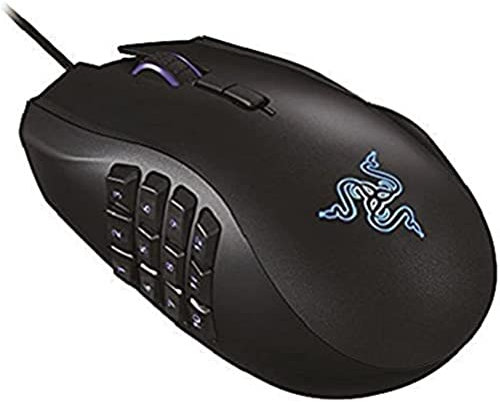
Razer Naga Chroma Professional Grade Ergonomic MMO Gaming Mouse (19 Programmable Buttons and Precise 16,000 DPI Sensor)
One of the world's precise gaming mouse sensor with 16,000 DPI.Compatible with Windows 10 Windows 8 Windows 7 Mac OS X 10.8 - 10.11
free shipping
Check price
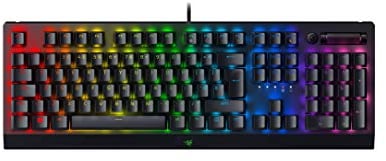
Razer BlackWidow V3 (Green Switch) - Mechanical Gaming Keyboard (Clicky Mechanical Switches, Doubleshot ABS Keycaps, Multi-Function Digital Roller and Media Key, Wrist Rest) QWERTY UK Layout | Black
Razer green mechanical switches Hear and feel the satisfying feedback in every keystroke you make, with a classic design that offers optimized actuation and reset points for better performance when gaming
free shipping
Check price
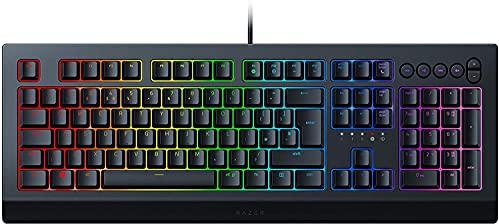
Razer Cynosa V2 - Membrane Gaming Keyboard (Keyboard with Soft Spring-Loaded Keys, Media Keys, Cable Management, Fully Programmable, RGB Chroma Lighting) UK Layout | Black
Individually backlit gaming keys The Razer Cynosa V2 is super comfortable to use and has a low sound profile, with its premium per-key lighting offering a greater depth of RGB customization
free shipping
Check price

Razer Ornata V3 TKL Gaming Keyboard: Low-Profile Keys - Mecha-Membrane Switches - UV-Coated Keycaps - Backlit Media Keys - 8-Zone RGB Lighting - Spill-Resistant - Magnetic Wrist Wrest - Classic Black
LOW-PROFILE KEYS With slimmer keycaps and shorter switches, enjoy natural hand positioning that allows for long hours of use with little strain
free shipping
Check price
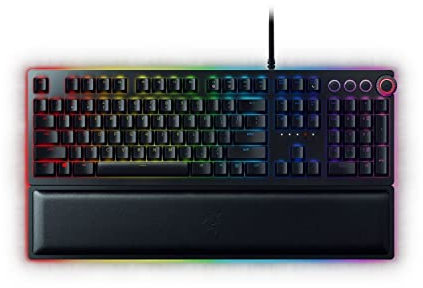
Razer Huntsman Elite (Purple Switch) - Gaming Keyboard with Opto-Mechanical Key (Multi-function Numeric Button, Integrated Hybrid Memory, RGB Chroma, Ergonomic Wrist Rest) - UK Layout | Black
Ergonomic wrist rest The keyboard comes with a magnetic ergonomic wrist rest that snaps to fit at the front of your keyboard and is made of plush leatherette for extreme comfort. It also features Razer Chroma enabled under low lighting to fully complement your keyboard
free shipping
Check price
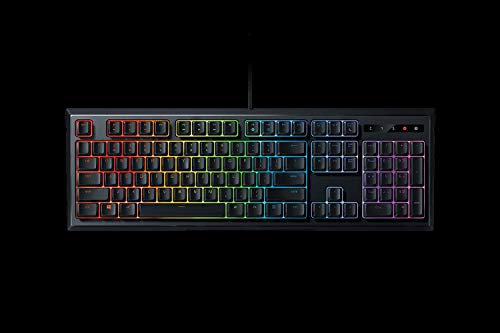
Razer Ornata Chroma - Mecha Membrane Gaming Keyboard with Mid-Height Keycaps, Ergonomic Design, UK-Layout, RGB Chroma Backlight
The Razer Ornata Chroma has a custom keycap, which is shorter the time to reduce it has been made for your actions. Register
free shipping
Check price

Razer Ornata V2 - Gaming Keyboard with Mecha-Membrane Keys (Hybrid Mecha-Membrane Switch, Chroma RGB Backlight, Digital Volume Wheel, Ergonomic Wrist Rest) UK-Layout | Black
Razer Hybrid Mecha-Membrane Technology Fusing the snappy, clicky feedback of a mechanical switch with the familiar feel of a conventional keyboard, each keystroke you make is as satisfying as it is precise
free shipping
Check price

Razer Naga X Wired MMO Gaming Mouse: 18K DPI Optical Sensor - 2nd-gen Optical Switch - Chroma RGB Lighting - 16 Programmable Buttons - 85g - Classic Black
Razer Naga X Wired MMO Gaming Mouse 18K DPI Optical Sensor - 2nd-gen Optical Switch - Chroma RGB Lighting - 16 Programmable Buttons - 85g - Classic Black
free shipping
Check price
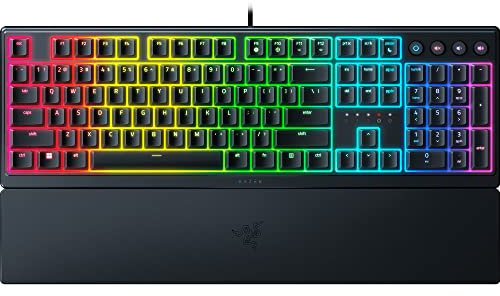
Razer Ornata V3 Gaming Keyboard: Low-Profile Keys - Mecha-Membrane Switches - UV-Coated Keycaps - Backlit Media Keys - 10-Zone RGB Lighting - Spill-Resistant - Magnetic Wrist Wrest - Classic Black
Low-Profile Keys With slimmer keycaps and shorter switches, enjoy natural hand positioning that allows for long hours of use with little strain
free shipping
Check price
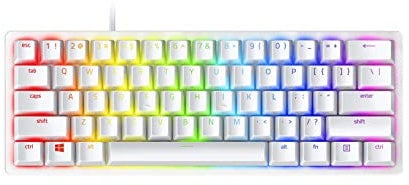
Razer Huntsman Mini 60% Gaming Keyboard: Fast Keyboard Switches - Linear Optical Switches - Chroma RGB Lighting - PBT Keycaps - Onboard Memory - Mercury White
Razer Optical Switches for actuation at the speed of light Offers faster, lighter, and smoother actuations than mechanical switches, and lasts longer as it requires fewer moving parts that operate with less friction. Comes in two variants Linear and Clicky.
free shipping
Check price

Razer Ornata V3 Tenkeyless - Compact Low Profile Gaming Keyboard (Mecha-Membrane Switches, UV-coated Keycaps, Backlit Dedicated Media Keys, Magnetic Soft-Touch Wrist Rest) QWERTY UK Layout | Black
8 Razer Chroma RGB Lighting Zones for customizable lighting; With 16.8 million colors and a suite of effects to choose from, personalize the keyboard and get access to dynamic lighting effects for hundreds of Chroma-integrated games
free shipping
Check price

Razer BlackWidow V4 X (Green Switch) - Mechanical Gaming Keyboard Chroma RGB (Clicky Mechanical Switches, 6 Dedicated Macro Keys, Doubleshot ABS Keycaps) QWERTY UK Layout | Black
Razer Snap Tap Prioritize the latest input between two selected keys without having to release the previous one, and enjoy more responsive inputs for near-instant directional changes in FPS games (latest firmware update required)
Check price
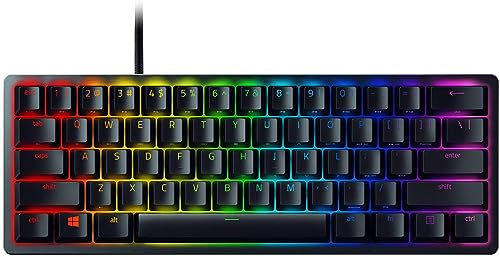
Razer Huntsman Mini (Red Switch) - 60 Percent Compact Gaming Keyboard (Linear Optical-Mechanical Switches, Doubleshot PBT Keycaps, Detachable USB-C Cable) QWERTY UK Layout | Black
Razer Optical Switches for actuation at the speed of light Offers faster, lighter, and smoother actuations than mechanical switches, and lasts longer as it requires fewer moving parts that operate with less friction. Comes in two variants-Linear and Clicky.
Check price

Razer BlackWidow V3 Mini HyperSpeed (Yellow Switch) - Wireless 65% Mechanical Gaming Keyboard (Silent Mechanical Switches, Bluetooth, USB-C, Stealth Pudding Keycaps) QWERTY UK Layout | Black
65 Percent Form Factor for Sleek, Compact Performance Ideal for minimalist or smaller setups where desk space is a premium, this compact build retains its arrow keys for better functionality
Check price

Razer BlackWidow V4 Pro (Green Switch) - Mechanical Gaming Keyboard (Clicky Mechanical Switches, Command Dial and 8 Dedicated Macro Keys, Multi-Function Roller, Wrist Rest) QWERTY UK Layout | Black
Razer Snap Tap Prioritize the latest input between two selected keys without having to release the previous one, and enjoy more responsive inputs for near-instant directional changes in FPS games (latest firmware update required)
Check price